Stories
Displays news stories or announcements from your organization.
Customizable Options:
- catid / catids – Show stories from one or more categories (e.g.,
catids="1,3"). - storyid – Show a specific story by ID.
- show_headline – Show (
1) or hide (0) the story headline. - headline – Override with custom headline text.
- story_output_style – Choose how stories are displayed (theme-dependent).
- story_summary – Show a short excerpt or intro (
1) instead of full story. - story_sep – Show a separator between stories (
1= yes). - story_image – Show story images (
1= yes). - story_open – Set whether stories are open (
1) or collapsed (0) by default. - story_share / story_social – Show sharing links or social media buttons.
- story_limit – Set the number of stories to display (e.g.,
story_limit="4").
This is a great way to create a blog, news section, or rotating announcements module.
[dacdb_plus show='stories']
Attributes
catid
To only show a specific category, enter its category ID here.
- Overrides default via shortcode
Supported Values:
-
123– Any valid category ID. Valid ids can be found in DACDB.com. Navigate to EZ Stories, then click "Categories" in the left column.
Example:
[dacdb_plus show="stories" catid=123]catids
A comma-separated list of valid category IDs.
- Overrides default via shortcode
Supported Values:
-
123,456,789
Example:
[dacdb_plus show="stories" catid="123,456,789"]storyid
Setting a specific story ID will display that story in its entirety on the page. Use for single-page content where needed on your site.
- Overrides default via shortcode
Supported Values:
-
321– Valid story IDs can be found in DACdb in the story editor.
Example:
[dacdb_plus show="stories" storyid="321"]show_headline
Hide or display the story headline from DACdb.
- Overrides default via shortcode
Supported Values:
-
True(default) -
False
Example:
[dacdb_plus show="stories" show_headline="1"]headline
Use with <pre>storyid</pre> to customize the headline to be different from the version saved in DACdb.
- Overrides default via shortcode
Supported Values:
-
Headline text here– Any valid HTML-safe charachters
Example:
[dacdb_plus show="stories" storyid="321" headline="Headline text here"]story_output_style
story_summary
story_sep
story_image
story_open
story_share
story_social
story_limit
Output Example
Rotary Club of Huntington
By David LievingSaturday, February 24, 2024
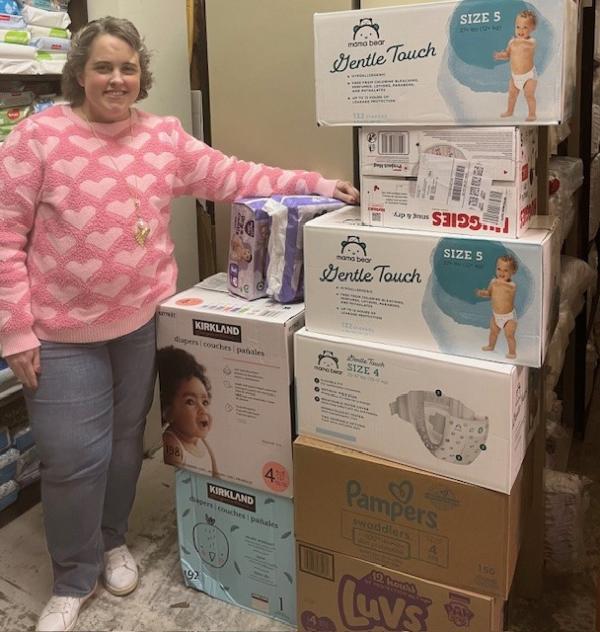
The Rotary Club of Huntington Sends Valentine's Day Love via a Diaper Bomb to Huntington's Lily's Place
Rendered from: [dacdb_plus show='stories']